🏠 InspectReport AIFor inspectors & contractors

For home inspectors & contractors

Turn site photos & rough notes into a finished inspection report.

InspectReport AI structures your field notes into professional findings with severity ratings and repair-cost estimates — then exports a client-ready PDF. You inspect. It writes.

Free during the beta — no card required.

Suburban home at dusk, photographed during an inspection
Sample report

123 Maple St, Austin, TX 78701

Professional inspection report · Generated with InspectReport AI

4Findings
2Urgent
$1,590Est. repairs
Kitchen — Active leak under kitchen sinkUrgent~$450
Roof — Damaged asphalt shingles on north slopeUrgent~$780

+ 2 more findings — full sample below ↓

From site photos to a finished report

You already did the hard part on site.
Don’t redo it at a desk.

On site — 4:47 PM

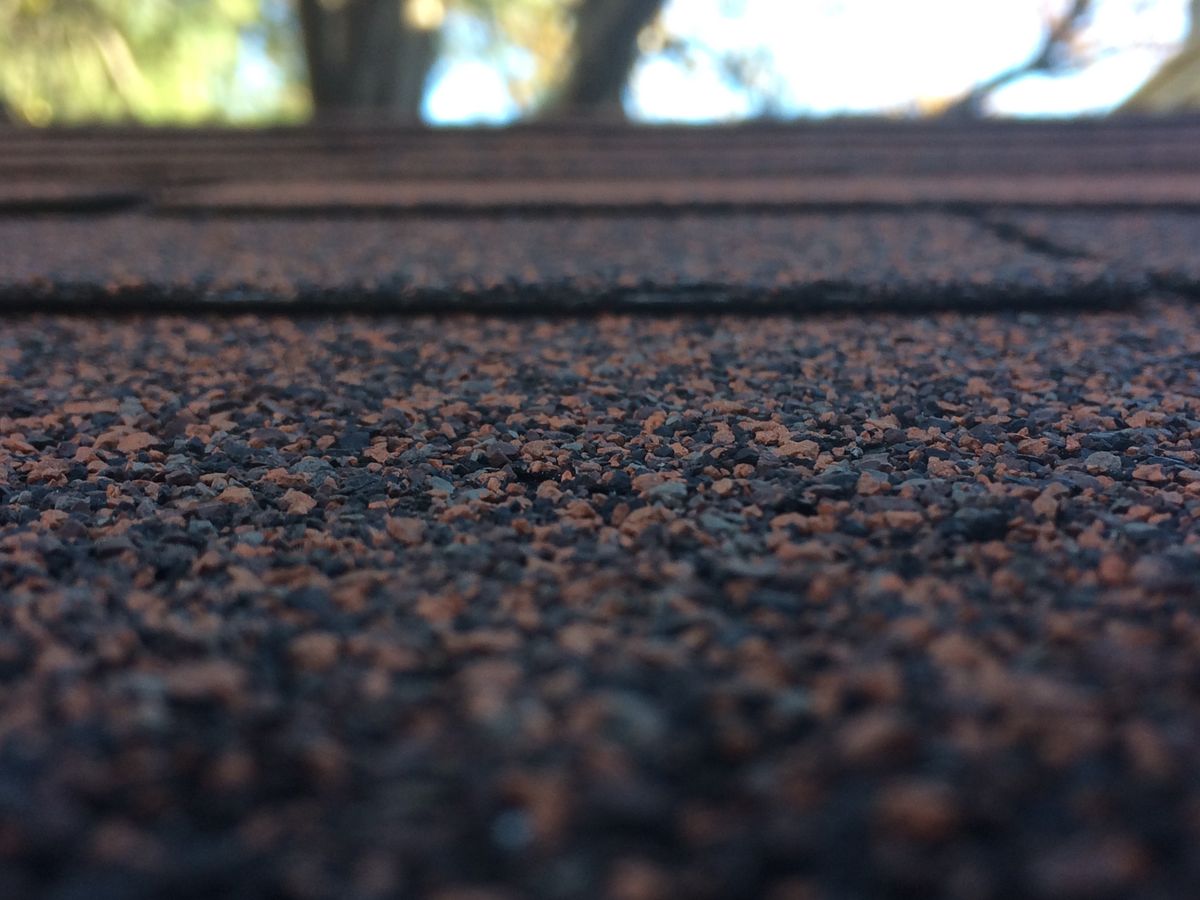
Under-sink plumbing photographed during the inspection Close-up of asphalt roof shingles photographed during the inspection
sink leak under kitchen p-trap, cabinet wet
shingles cracked north side, few lifting
bath outlet no gfci
furnace filter black, replace

Raw photos + four lines of rough notes. That’s the whole input.

In the truck — 4:52 PM

Kitchen — Active leak under kitchen sinkUrgent~$450

Active water leak observed at the P-trap. The cabinet base shows moisture damage and staining. Recommend repair by a licensed plumber.

Roof — Damaged asphalt shinglesUrgent~$780

Multiple shingles on the north slope are cracked and lifting, exposing the underlayment. Recommend repair to prevent water intrusion.

Total estimated repairs: $1,590PDF ready ✓

Sample report

Inside every report

This is the exact layout your clients get — the same sample job you can load inside the app. Fictional property, real product.

Sample

123 Maple St, Austin, TX 78701

Professional inspection report · Generated with InspectReport AI

Client
Jordan Miller
Inspector
Alex Carter, Licensed Inspector
Gate code
4821
HOA
Maple Grove HOA

↑ Your custom fields — gate codes, HOA names, lockbox info — print right on the report

Executive summary

A home inspection was completed at 123 Maple St, Austin, TX 78701. 4 findings were documented, including 2 urgent items that should be addressed promptly: an active leak under the kitchen sink and damaged roof shingles on the north slope. The total estimated cost of recommended repairs is $1,590.

↑ A plain-language summary your client actually reads

Findings (4)

1. Kitchen — Active leak under kitchen sinkUrgent~$450

Active water leak observed at the P-trap under the kitchen sink. The cabinet base shows moisture damage and staining. Recommend repair by a licensed plumber and drying the cabinet to prevent mold growth.

↑ Severity badge + ballpark repair cost on every finding

2. Roof — Damaged asphalt shingles on north slopeUrgent~$780

Multiple asphalt shingles on the north slope are cracked and lifting, exposing the underlayment. Recommend repair by a roofing contractor to prevent water intrusion.

Asphalt shingles on the north slope

↑ Your site photos, attached to the finding they belong to

3. Electrical — No GFCI protection at bathroom outletRepair~$260

The bathroom receptacle is not GFCI-protected, as required for outlets near water sources. Recommend installing a GFCI receptacle or breaker.

4. HVAC — Furnace filter overdue for replacementMonitor~$100

The furnace filter is heavily loaded with dust and overdue for replacement. No other defects were observed with the heating system. Recommend replacing the filter and monitoring airflow.

Total estimated repairs: $1,590 Inspector signature: ___________________

↑ One total your client can plan around

Your next report could already be done.

Try the beta free

Why inspectors switch

Built for the walk, not the desk

✨

AI structuring from rough notes

Paste notes the way you’d text them — “sink leak, active.” AI turns each one into a titled, client-ready finding. You review and edit before anything ships.

🏷️

Severity + repair-cost estimates

Every finding gets a Good / Monitor / Repair / Urgent rating and a ballpark repair cost, rolled into one total your client can plan around.

📸

Photos in the report

Upload job-site photos and attach them to the finding they prove. They land in the PDF right next to the write-up — no separate photo wrangling.

📄

Client-ready PDF export

One click turns the report into a polished PDF with your summary, findings, photos, and totals. Send it before you’ve left the driveway.

🧩

Custom fields

Gate codes, HOA names, lockbox combos, utility notes — add your own fields to any report, and save the ones you reuse as templates for the next job.

📱

Works on your phone, in the field

Big buttons, big type, readable in sunlight. Start the report on your phone at the property and finish it wherever you are.

How it works

A job, start to finish

Inspector documenting roof conditions on site

Step 1

Photos + notes

Walk the property. Snap photos and jot rough notes — spelling optional, complete sentences not required.

Step 2

AI drafts it

AI groups your notes by area, writes each finding up for the client, and suggests a severity and repair cost.

Home inspector reviewing findings on a clipboard at the front door

Step 3

You review

Adjust wording, severity, and numbers. Add photos and your summary. Nothing reaches a client until you approve it.

Step 4

PDF to client

Download the finished PDF and send it the same day — while the inspection is still fresh for everyone.

Still typing reports at the kitchen table?

Try the beta free

The math

One flat price. No per-inspector math.

Most inspection software charges per inspector — so the bill grows every time your team does. Here’s what a three-inspector shop typically pays:

Software3 inspectors payThe catch
Spectora ≈ $307/mo Priced per inspector — every hire raises the bill
InspectForge $99/mo That’s after the intro promo ends and the price jumps
InspectReport AI $49/mo flat Per account, not per inspector — and no promo that doubles later

Competitor figures are typical published prices as of October 2026, shown for comparison.

InspectReport AI

$49/mo flat per account

  • Unlimited reports
  • AI structuring, polish & summaries
  • Photos + client-ready PDF export
  • Custom fields & saved templates

Free during the beta

No card required. When billing starts, it’s $49/mo flat — and we’ll email you before anything is charged.

Create your free account

For InterNACHI members

InterNACHI members: your beta seat is free.

We’re inviting InterNACHI members to join the free beta while we harden InspectReport AI with working inspectors. You get full access — unlimited reports, AI structuring, PDF export — in exchange for honest feedback about what helps and what doesn’t.

Claim your free beta account

Free during the beta. No card required.

FAQ

Questions, answered

How does the AI part actually work?

You type rough field notes — fragments are fine. The AI turns each note into a titled finding with a client-ready description, a suggested severity (Good, Monitor, Repair, or Urgent), and a ballpark repair-cost estimate. You stay in control: review, edit, or delete anything before the report goes out. If no AI key is configured on your account, a built-in structurer still does the basics.

What does the finished PDF look like?

Exactly like the sample on this page: your property and client details (including your custom fields), an executive summary, and every finding with its photos, severity badge, and cost estimate, plus a total for repairs. You download it straight from the report with one click.

Is the $49 per inspector?

No — $49/mo is flat per account, not per inspector. There’s no per-seat math, and there’s no intro promo that doubles after 12 months. The price you start at is the price.

Who can see my reports and photos?

Only you. Your reports and photos are tied to your account sign-in, and other accounts can’t see them. We don’t sell your data, and your photos are used only to build your reports.

When do I start paying?

Not yet. The beta is free and no card is required to join. When billing launches, the plan is $49/mo flat per account — we’ll email you before anything is charged, and you can decide then whether to continue.